
FleetX is the driver app that covers the entire workday
By Tom on May 29, 2026, 9:06:08 AM
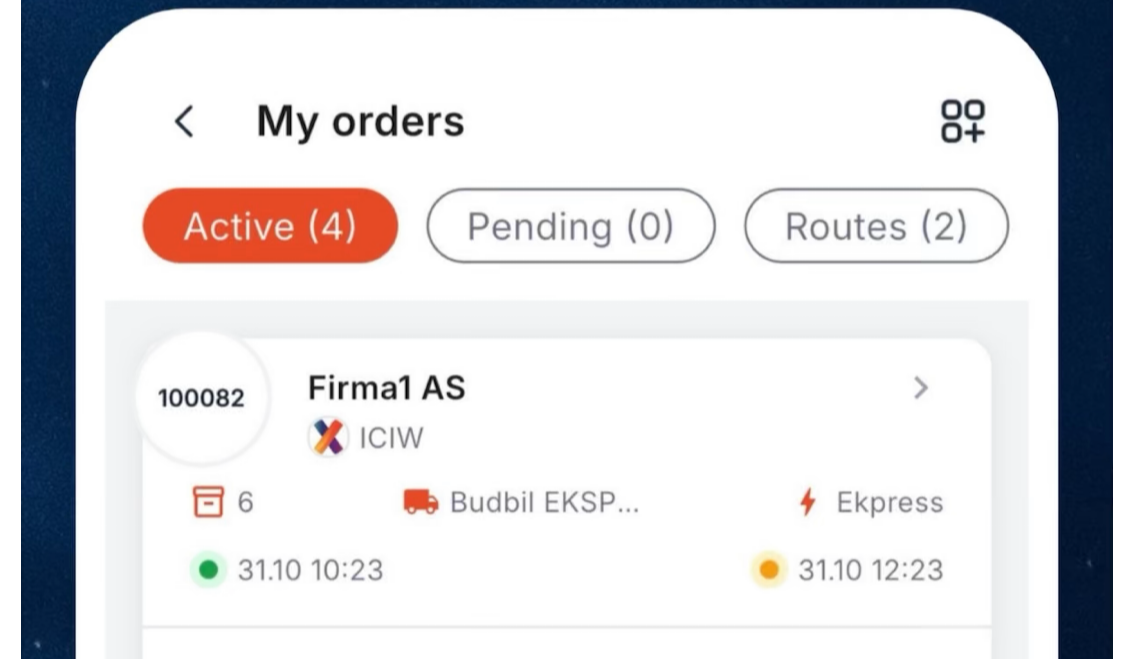
As a driver, your job is about driving - not managing. FleetX is an app built to give you one place for assignments, navigation, communication and time tracking, so you can focus on the road.
Assignment management from A to Z
When you open FleetX, you'll be presented with an overview of the day's assignments - sorted in the order in which they need to be completed. Each assignment shows pick-up and delivery addresses, time windows, freight information and customer contact, without you having to search in a separate system.
The workflow at each stop follows a fixed structure:
- Accept or reject incoming orders
- Set status at each stop - en route, arrived, completed
- Scan goods with your phone's camera or enter a barcode manually - the app matches against the goods list and provides immediate feedback with sound and vibration
- Sign digitally - the recipient signs directly on your screen
- Take photos as documentation - they're automatically linked to the right order and are immediately available to the transport manager
- Register discrepancies - select the type of discrepancy from a list customized for your company, add a description and submit
If you have multiple deliveries at the same address, the app automatically groups them so you can handle everything on site in one operation.
Every single tap is synchronized back to FleetX TMS in real time. Dispatcher sees how far you've come without calling.
Navigation built for professional drivers
FleetX has built-in navigation. You tap a stop and navigation starts - no copying addresses to another app.
The app gives you voice guidance, speed limit display, speed camera alerts, school zone and danger zone alerts, field guidance at complex intersections, real-time traffic information with automatic rerouting, and day and night modes that adapt to lighting conditions. Navigation settings can be adjusted per company.
For routes where coverage is poor, you can download map regions in advance. The app shows how much storage space has been used and allows you to manage downloaded regions - so navigation works even when your phone is offline.
Tunnels, mountain passes, industrial areas with poor coverage - it's part of everyday life for Norwegian drivers. FleetX is built to handle this without you even noticing.
When the app loses network access, you can still:
- Update order status
- Scan barcodes
- Sign deliveries
- Take photos and write notes
- Register deviations
- Send messages
- Punch in and out of shift
Everything is stored in a local queue on your phone. As soon as the connection is restored, the operations are automatically submitted in the correct order. There's no "try again later" dialog - the app works, and the sync happens in the background while you drive on.
Messaging - two types, one place
FleetX has built-in messaging with two channels:
- Company messages - communication between you and transport management, related to assignments and operations
- Driver messages - direct messages between drivers
Messages are searchable, time-stamped and archived - unlike an SMS that disappears in the thread. You can find the message tab directly in the main menu.
Shift and hour registration
FleetX features one-touch digital clocking in and out. In addition, you can:
- Register breaks during the shift
- View the working day in a timeline showing activity and breaks
- View tachograph timeline where relevant
- Review attendance history for previous shifts
The data is available to transport management instantly and provides an accurate basis for payroll and time sheets. The app also alerts you if you've forgotten to clock out - with automatic reminders.
Position sharing in real time
While you're on duty, FleetX shares your location with transportation management. Dispatchers can see where all the vehicles are, plan re-routes and give customers updated arrival times - without calling you in the middle of a delivery.
You control which companies have access to your location, and can turn sharing on and off per company. When you clock out of the shift, the sharing stops.
Absence and leave
Do you need time off? FleetX allows you to apply for absence directly in the app - select type (sick, vacation, personal, etc.), select date or period, attach documentation if necessary, and submit. You can also see an overview of your own absence requests and attendance history.
Create assignments yourself
In situations where you need to register an assignment on your own - such as an ad hoc pickup - you can create new orders directly from the app. You select a company, search for a customer, enter pick-up and delivery addresses, register goods and submit. A step-by-step wizard ensures that everything necessary is filled in.
Support for multiple companies
Do you drive for more than one transportation company? FleetX handles it. You can switch between companies in the app, and each company has its own assignments, settings, deviation types and message channels. Shifts and location sharing are managed per company.
Reports.
FleetX gives you access to:
- Driving behavior reports - daily, weekly or monthly overview (where the company has enabled it)
- Deviation history - overview of all submitted deviations with details and status
- Compliance and violations - if your company uses the compliance module, you'll see any violations, their severity and status directly in the app, with signature and feedback options
Push notifications to keep you up to date
New assignments, changes to existing orders, messages from the transport management team and stamping reminders - all come as push notifications to your phone. Just tap on the notification and you're straight to the point.
How to get started
- Download the app - search for "FleetX" on App Store or Google Play
- Create user - register with your email and password
- Get invited - your transport company connects you to their company in FleetX TMS
- Drive - your assignments are ready in the app
You May Also Like
These Related Stories
Cloud-Based TMS for Transport: Your Dispatch Belongs in the Browser